ajaxloader
Let's Connect

HubSpot Services

HubSpot Development

Create a beautiful website that is easy-to-use and has the end users' goals in mind.

HubSpot Migration

Migrate your website to a platform where you get more options to enhance your customer.  

HubSpot Onboarding

Let's get your business onboard with best strategy and implementation.  

HubSpot Optimization

Optimize your website to make the best user experience to your customer.

HubSpot Integration

Connect any platform to HubSpot with us. We're here to get it done for you. 

HubSpot Support & Maintenance

We're here to help you keep your website healthy and ongoing. 

HubSpot Theme

Website or marketplace we build all kinds of theme for you. 

HubSpot White label services

We're happy to be your web development partner, reach out to us. 

Let’s talk

Hire Us
Partner with us

What we do

Web Development

We build website that help you grow your business.

Shopify

The best solution for your online store, let's bring it online. 

Design

We take your thoughts and input to create the vision you have in your mind. 

Software Development

We're building custom solution based on your request and needs. 

Digital Marketing

Let's reach out to your audience and interact with sharing your story. 

App Development

Need an app build? let's connect and talk about it. 

Let’s talk

Hire Us
Partner with us

Count Step Module

Step-Hero_image

Guide Users Through Processes with Clarity and Style

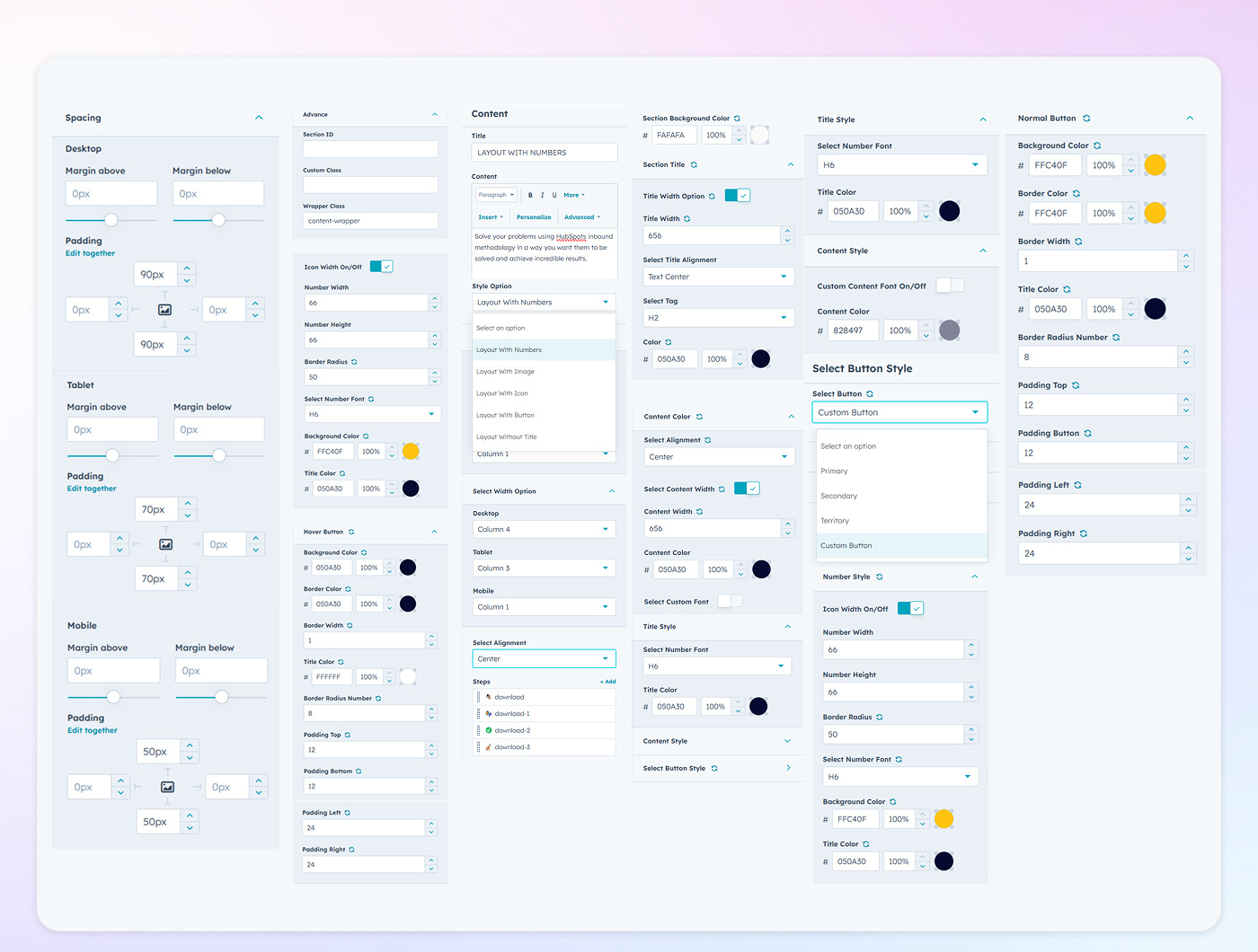
The Step Module is designed to present multi-step processes in a clear and visually appealing manner. With customizable options for layout, alignment, typography, and interactive elements, you can tailor each step to align seamlessly with your brand's aesthetics and enhance user engagement.

Step-Style_option
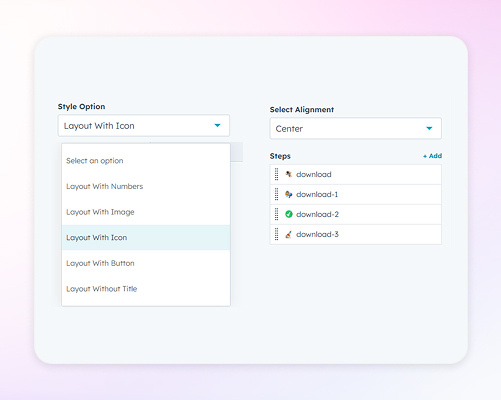
Diverse Layout Configurations

Choose from various layout styles to present your steps effectively. Options include layouts with images, numbered steps, icons, buttons, and titles. Each style offers a unique arrangement, allowing you to guide users through processes in a manner that resonates with your audience.
Step-Font_style
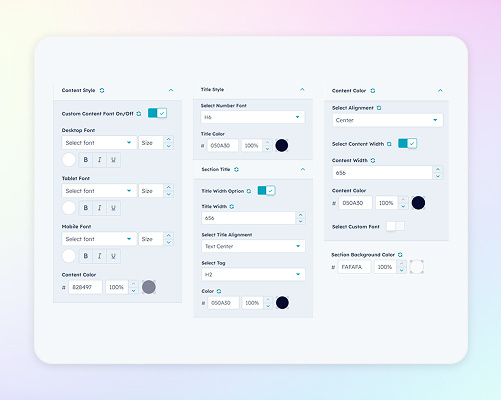
Customize Typography for Clarity and Brand Consistency

Tailor the text within each step by adjusting color, size, alignment, and maximum width. These settings ensure that your content is both readable and consistent with your brand's visual identity, providing a seamless user experience.
Step-Width_option
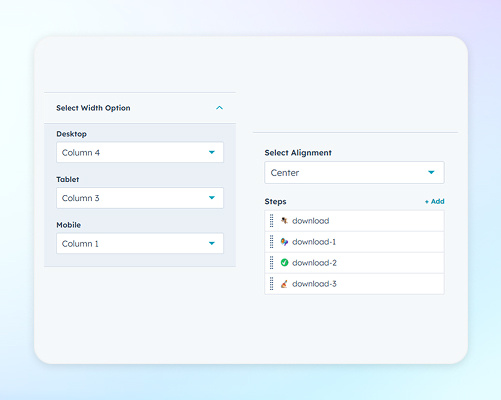
Ensure Optimal Display Across Devices

Define width settings for desktop, tablet, and mobile views to maintain a responsive design. By specifying alignment and width for each device type, you ensure that the step module adapts gracefully to various screen sizes.
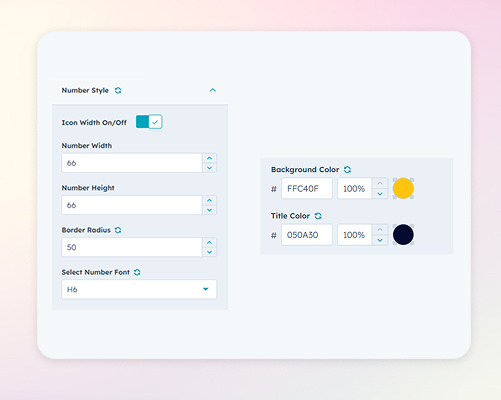
Number Style
Highlight Step Numbers with Distinctive Design

Customize the appearance of step numbers by adjusting their height, width, font, and background color. These settings allow you to emphasize each step number, making the process easy to follow and visually engaging.
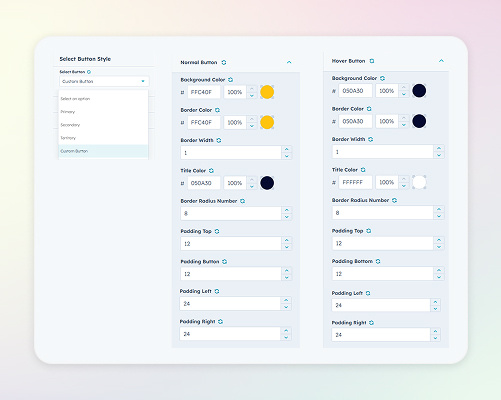
Step-Button_style
Enhance Interactivity with Customized Buttons

Configure buttons within each step by selecting from primary, secondary, tertiary, or custom styles. Adjust the button's appearance to match your brand's color scheme and design preferences, encouraging user interaction and progression through the steps.